
[UPDATE: A newer version is now available. More Info Here]
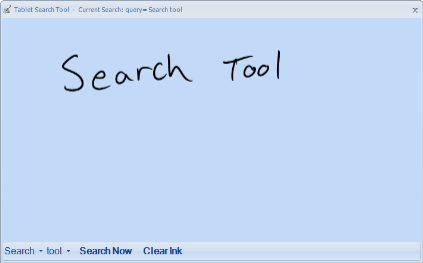
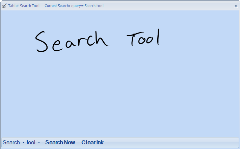 I’ve just completed a neat little Tablet PC utility that I have wanted for a long time. The tool lets you write search terms on a small form, and instantly send the terms to a Google search inside your default browser with one tap (or a gesture). No more awkward use of the Tablet Input Panel (TIP) inside a web page!!
The tool uses the new InkAnalysis API, and so far I have been very impressed with the recognition accuracy. Some of the beta testers have told me they are seeing better accuracy here than with TIP.
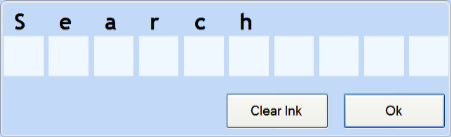
The recognition will automatically add the best result to the query, but you can also select close matches from the lower button bar. For really difficult words, there is also a character correction screen for quick entry and correction. I really think you’ll enjoy using this for your searches.
This is a beta version, so there may be a few grinding sounds every now and then, but I think most of them were worked out in the private beta. Right now the tool just does Google searches (via the Custom Search engine – this is why you’ll see the URL as TabletPCTools.com), but I may expand this to other engines and desktop searches soon.
If you find any problems, have suggestions, feedback or features you’d like to see, please get in touch.
The app does require the Microsoft .NET framework 2.0 to run. You can get this from Windows Updates.
Download the Tablet Ink Search Tool Free Here!!
Main Screen:
Character Correction:
Launch from the windows Quick Launch Bar:

This does not currently work in Vista… I hope compatiblity is added.
I’m using RTM. I uninstalled it now, but when it was installed, as soon as I started it, it crashed. If I opened it as an administrator, it opened up a blank window, which got two buttons on the bottom after a few seconds (Search Now and Clear Ink), but it didn’t actually do anything.
Bryan,
I’ve had many people tell me it works great in Vista, so hopefully you are just seeing an isolated issue.
Can you let me know what release and version of Vista you are using?
Thanks,
-Ed
Bryan,
Sorry you had the trouble – thanks for the additional info. I’ll give it a whirl on RTM and see if I can figure out what is going on. I’ll post an update or fix as soon as I figure it out.
Ed Holloway just released a search tool for the Tablet PC that was written using the InkAnalysis API,
Now if you can turn it into a SideBar gadget…
Great Thought Keith – on the TODO list!
Hi Ed-
When I press “search now,” I get tabletpctools.com in a new tab in Firefox 2.0. The search term appears in a box at the top. But the rest of the screen is blank?
Hi Adrienne-
Can you try it again and see what happens – maybe the Google custom engine was just a bit slow when you tried?
If you still don’t see results, please hit the refresh button and see if you get anything.
Also, maybe try a few different search terms to see if that helps.
Either way, please let me know – I’m sure we can get it sorted out 🙂
Hmmm .. nope. Still acts as if it has done its job, but the screen is empty aside from the search box.
And the windows task mananger shows InkSearch1.exe running, even after I close the search input window?
Adrienne,
Sorry to hear you are still having a problem. If you manually type a term in the box and hit submit, does anything happen?
InkSearch1 will stay running in the background once you launch it. As you’ve noticed, it takes a bit to load up the recognition controls and GUI the first time, so after that I leave an instance running for instant availability on additional searches.
Thanks for caring. No, manually typing a term and hitting enter does not produce any results either. I did have to load .NET 2 – might it be some issue with that? I don’t know if it installed correctly.
Adrienne,
If manually entering a term does not work, it is probably a security setting in Firefox, or one of the plugins you may have installed. The results are shown in a HTML IFRAME, so it is something to do with that
I use FF 2.0 on all my machines, and have not seen this, but I will look around and see what I can find.
A nice tool. congratulation. even in german very good results, but:
Please make “Umlaute” work. From “Käthe” (correctly recognised)it makes in the google search bar “Kthe”. I am sorry that the world is so complex.
best regards from Austria
Wolfgang
Wolfgang – thanks for the note. I’ll see if there is anything I can do to tweak the recognition for other languages.
I’ve made many significant improvements and bug fixes to the Ink Search Tool, and publicly released Beta